Nov 27, 2026
Keyword Clustering: The Complete Process for Organizing Keywords

Your keyword research is done. Now you're staring at 3,000 terms in a spreadsheet, wondering which ones to target first. Sound familiar?
Yes! I’m Roman Makarenko, and I've run through this exact problem many times in the past. Now, my SEO experience spans over 8 years, ranging from freelancing on Upwork, where I earned $1 million, to founding Thunder Marketing, a full-service digital marketing agency. And I know how to address the headaches of keyword systematization easily and effectively.
Without keyword clustering, you'll either create dozens of thin pages that compete against each other, or try cramming everything into a few overcrowded pieces. Both kill your rankings.
Keyword clustering groups related terms that can rank on the same page. When someone searches "best project management tools" and another person searches "top project management software," they want the same information. Google knows this - your content strategy should too.
What's the difference, then? Instead of 50 weak pages fighting for similar keywords, you build 10 strong pages that own their topics. Each cluster becomes one comprehensive piece that satisfies multiple search variations.
I'll show you how to cluster keywords efficiently, validate your groups using SERP analysis, and turn clusters into content that ranks. We'll cover manual methods for small datasets and automated approaches for larger projects.
Ever tried clustering keywords that seemed related but showed completely different search results? Share your confusing keyword pairs in the comments - I love debugging these SERP mysteries.
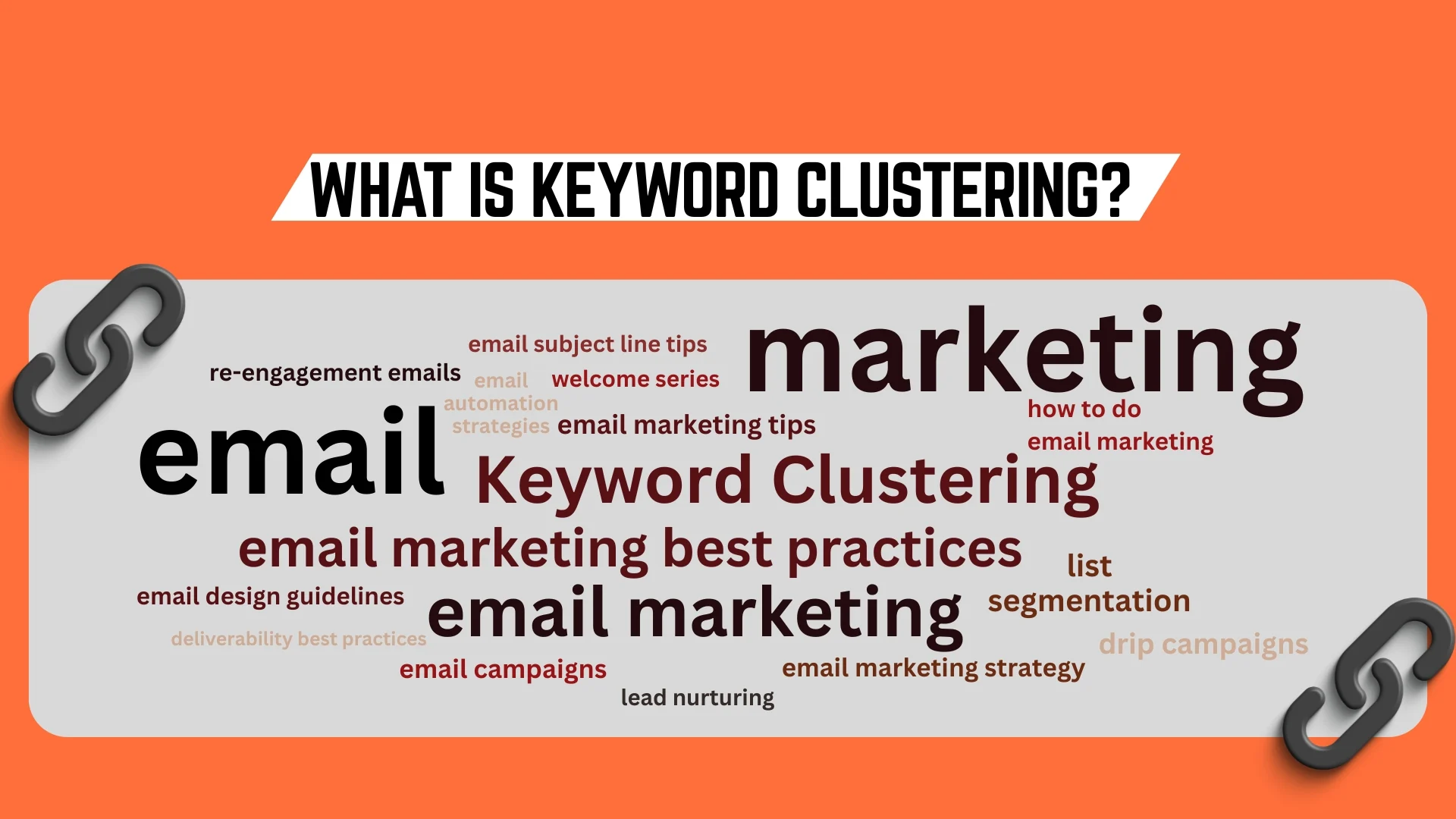
Keyword clustering means grouping related search terms that should target the same page. Simple concept, but most people confuse it with basic keyword organization.
Organizing keywords is putting "email marketing" and "social media marketing" in a "marketing" folder. Clustering is recognizing that "email marketing best practices," "email marketing tips," and "how to do email marketing" all target the same searcher intent and should live on one page.
Google's algorithm understands semantic relationships. When you optimize for "email marketing guide," Google also considers your page relevant for "email marketing tutorial" and "learn email marketing." These terms share the same search intent - someone wanting to learn email marketing fundamentals.
But clustering only works when search results overlap. If "email marketing" shows completely different pages than "email marketing software," they belong in separate clusters. The key is checking what actually ranks, not assuming relationships based on similar words.
Search engines reward topical depth over keyword quantity. A comprehensive guide targeting 15 related terms will outrank 15 thin pages targeting those same terms individually. This is why clustering works - it matches how Google evaluates content authority.
Clustering helps when you have multiple ways to express the same search intent. It creates confusion when you force unrelated terms together just because they share a common word. "Email marketing" and "email design" might both contain "email," but they serve different purposes and need separate pages.
The goal is to find the sweet spot - enough related keywords to build comprehensive content without mixing different user intents on the same page.
Clustering keywords properly takes five phases. Skip any step and you'll end up with groups that look organized but don't drive results. I've seen agencies waste months targeting clusters that made sense in spreadsheets but ignored how people actually search.
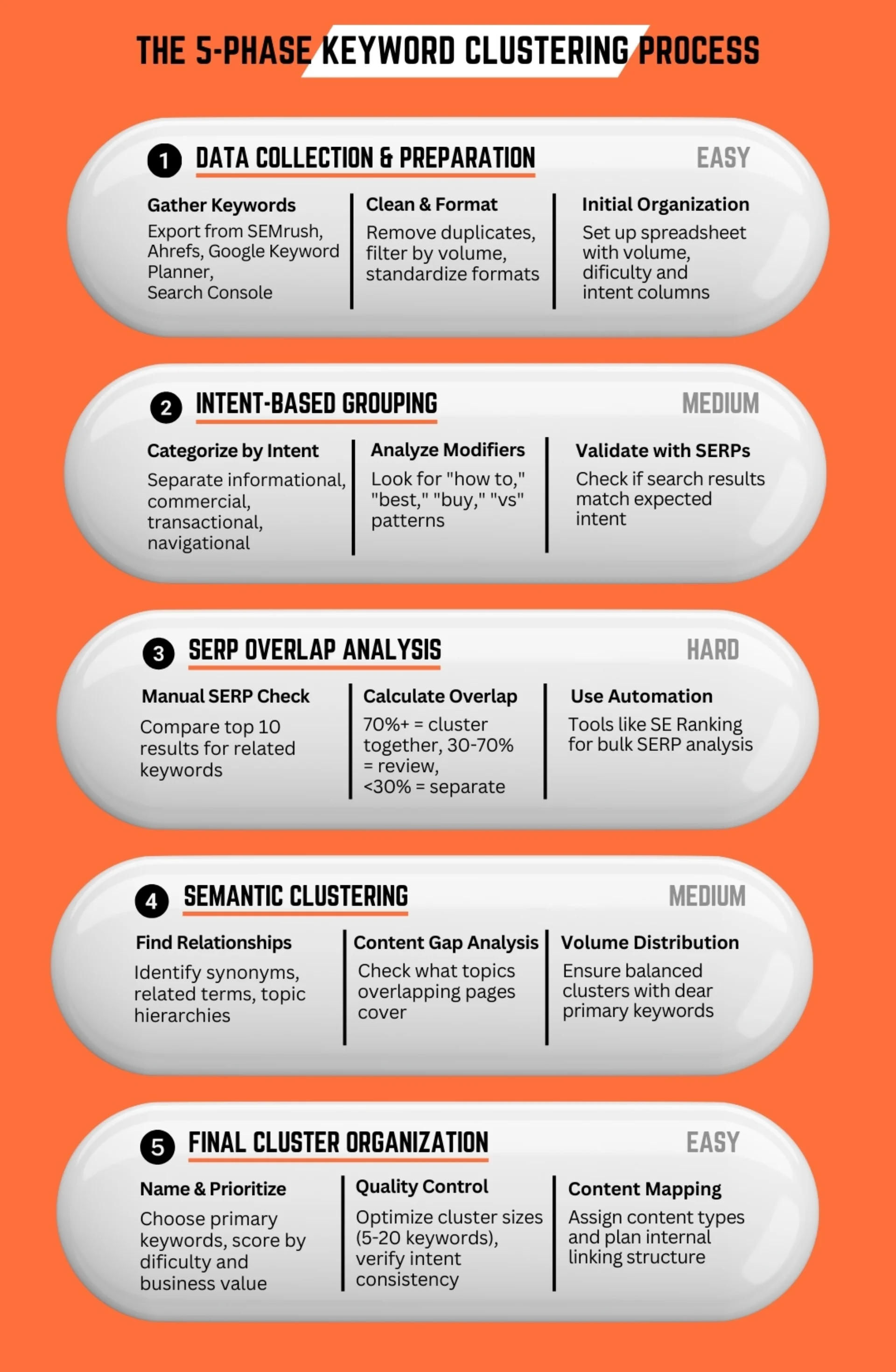
Start by gathering keywords from multiple sources. Single-source clustering misses opportunities and creates blind spots in your strategy.
Google Keyword Planner gives you search volume estimates and Google's own keyword suggestions. Export the full list, not just high-volume terms. Many clustering opportunities hide in longer-tail variations.
Semrush and Ahrefs provide competitor keywords and related terms that Keyword Planner misses. Pull organic keywords from your top 5 competitors - they've often found valuable terms you haven't considered.
Google Search Console shows actual queries driving traffic to your site. These keywords have proven relevance and conversion potential. Export the last 12 months of query data for the most complete picture.
Competitor analysis reveals keyword gaps. Use Semrush's Keyword Gap tool or Ahrefs' Content Gap to find terms where competitors rank but you don't. These often become your highest-value clusters.
Remove exact duplicates first - they're common when combining multiple sources. Then eliminate near-duplicates like "email marketing tips" and "email marketing tip" (singular/plural variations that serve the same intent).
Filter by search volume thresholds based on your site's authority. New sites should focus on keywords with 100-1,000 monthly searches. Established sites can target higher volumes, but shouldn't ignore long-tail clusters.
Delete irrelevant terms that slipped through the keyword tools. "Email" might pull in results about Gmail troubleshooting when you're targeting email marketing. Clean these out early, or they'll pollute your clusters.
Standardize formats by removing extra spaces, converting to lowercase, and using consistent punctuation. This prevents "email-marketing" and "email marketing" from being treated as different terms.
Set up your spreadsheet with these columns:
Sort by search volume to identify your highest-opportunity terms first. These often become cluster anchors - the primary keywords around which you group related terms.
Add basic topic categories like "email marketing," "social media," or "SEO tools." These aren't final clusters but help organize your thinking during the detailed clustering phases.
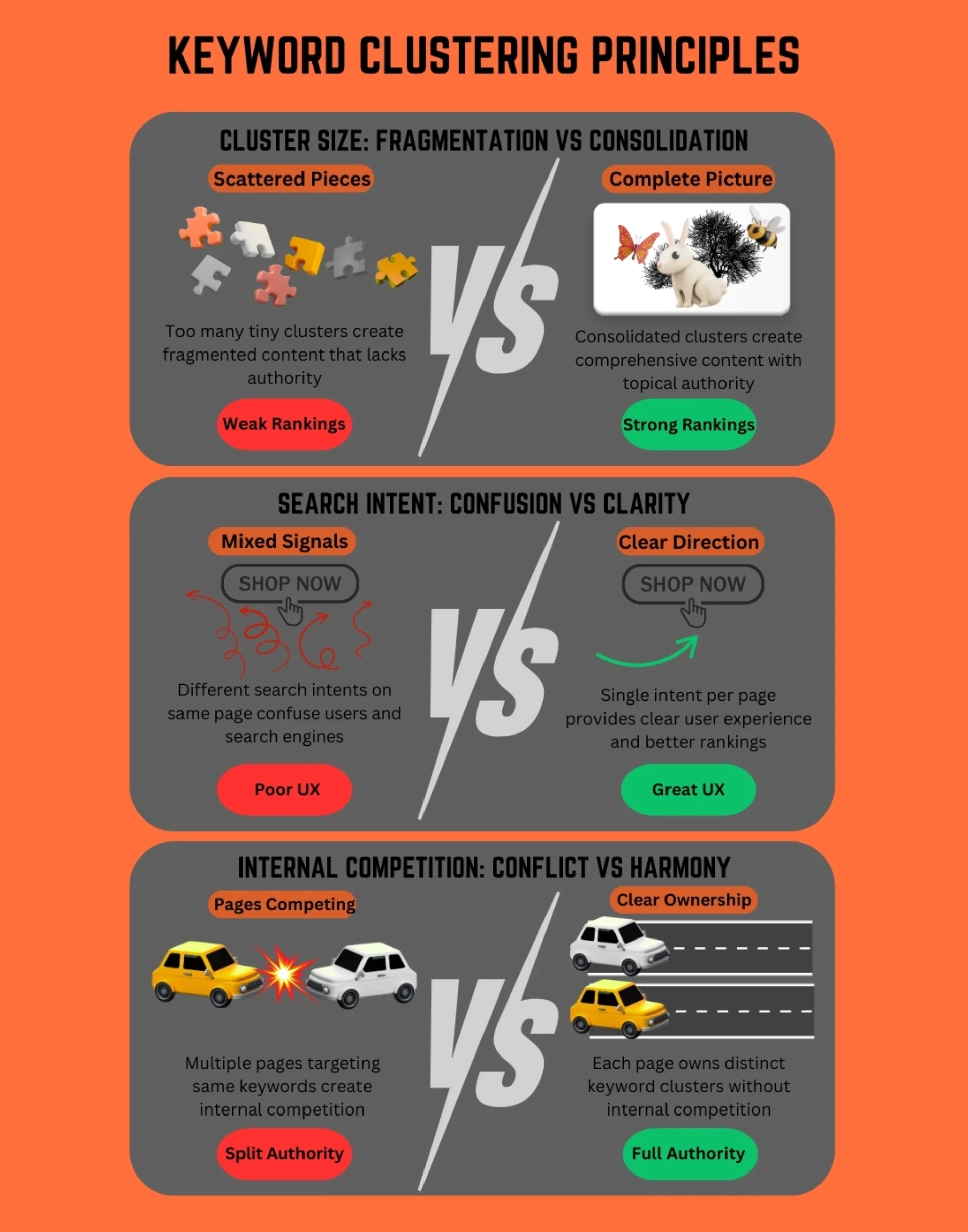
Search intent determines whether keywords can live on the same page. Mixed-intent clusters confuse users and search engines, killing your rankings across the entire group.
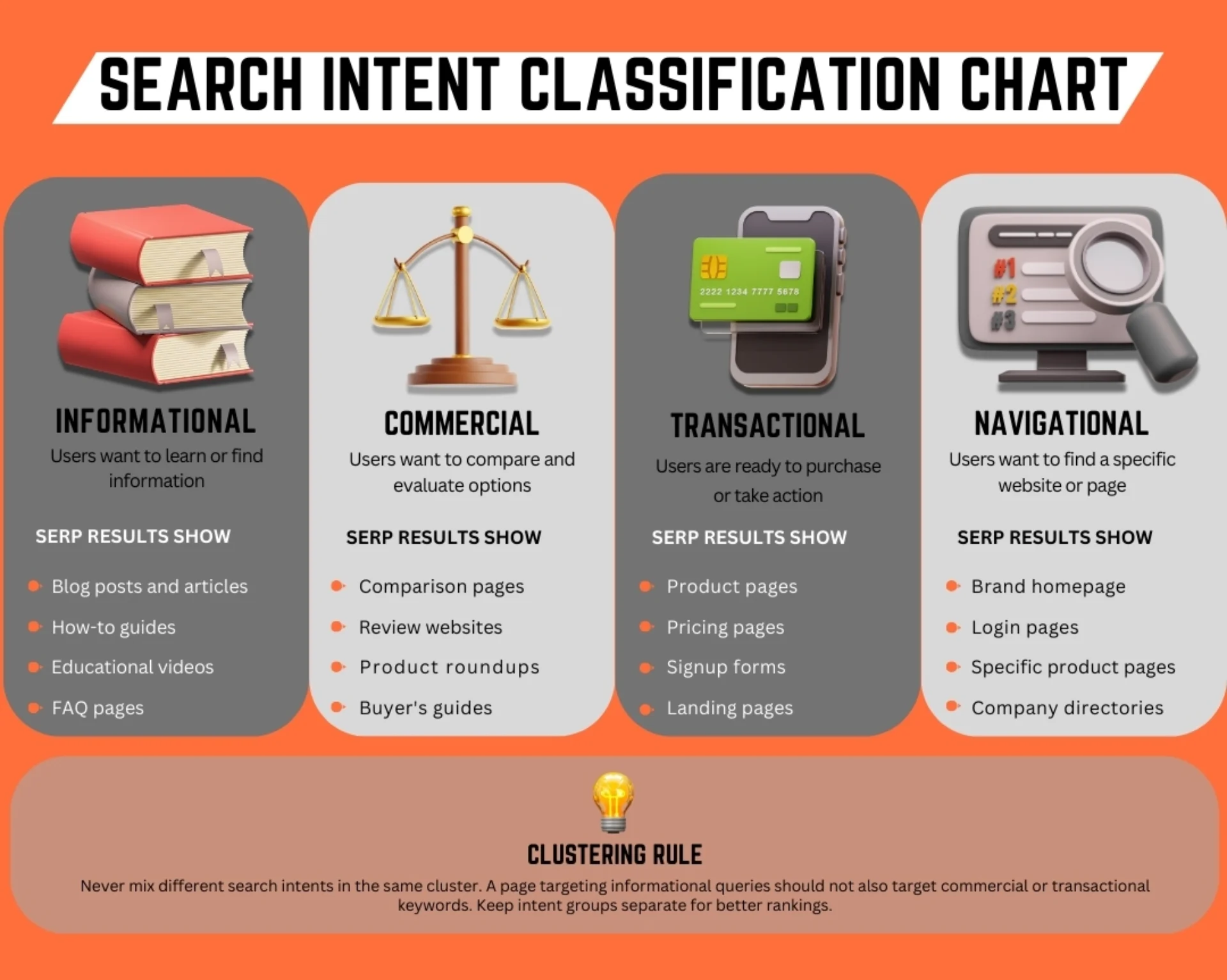
Informational keywords help users learn something. "How to write email subject lines," "what is email marketing," and "email marketing best practices" all serve people seeking knowledge. These cluster well together on comprehensive guides.
Commercial keywords help users evaluate options. "Best email marketing software," "email marketing tools comparison," and "top email marketing platforms" target people researching purchases. They need different content than informational searches.
Transactional keywords target ready buyers. "Buy email marketing software," "email marketing tool pricing," and "sign up for email marketing platform" require product pages or landing pages, not educational content.
Navigational keywords seek specific brands or pages. "Mailchimp pricing," "Constant Contact login," and "Campaign Monitor features" target people looking for particular companies. These rarely cluster with anything else.
Check the search results for each keyword. Informational intent shows blog posts, guides, and how-to articles. Commercial intent displays comparison pages, review sites, and product roundups. Transactional intent returns product pages and signup forms.
Look for keyword modifiers that signal intent. "How to," "what is," "guide," and "tips" indicate informational searches. "Best," "top," "review," and "comparison" suggest commercial intent. "Buy," "price," "cost," and "discount" mean transactional searches.
Watch for mixed signals. "Email marketing software" might show both educational articles and product comparisons. These keywords often need separate treatment or careful content planning to satisfy multiple intents.
Keep intent groups strictly separate. Don't mix "how to do email marketing" (informational) with "best email marketing tools" (commercial) in the same cluster, even though they're topically related.
Handle borderline cases by checking user behavior. If "email marketing strategy" returns both how-to guides and tool comparisons, look at the top 10 results. The dominant content type determines the primary intent.
Create intent-specific content types. Informational clusters become blog posts and guides. Commercial clusters become comparison pages and buyer's guides. Transactional clusters become product pages and landing pages.
SERP overlap reveals which keywords truly belong together. If two keywords show completely different search results, they need separate pages regardless of semantic similarity.
Search for each keyword in your clusters and record the top 10 organic results. Use incognito mode to avoid personalized results that might skew your analysis.
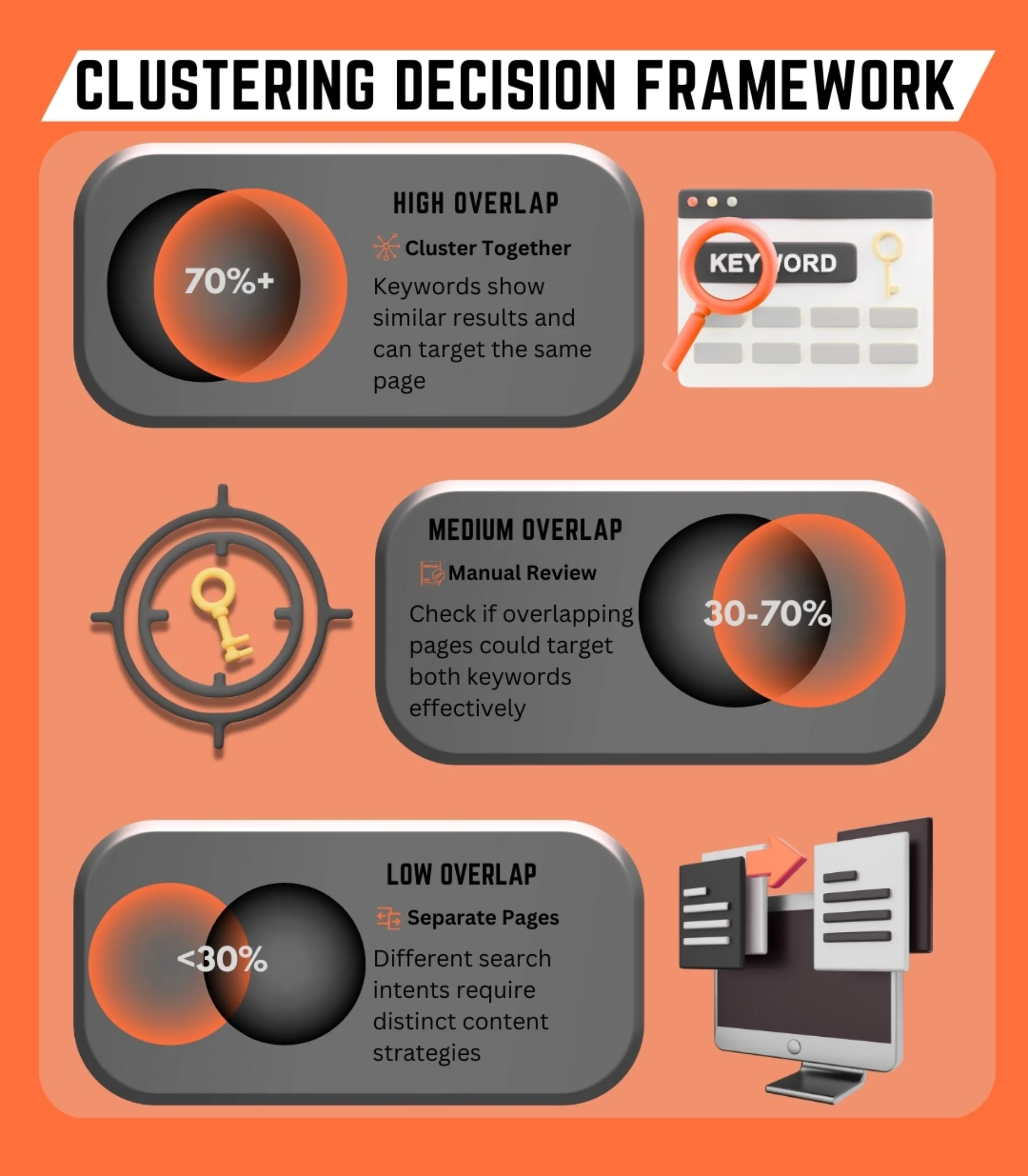
Calculate overlap percentages by counting how many URLs appear for both keywords. If "email marketing tips" and "email marketing best practices" share 7 out of 10 results, that's 70% overlap - a strong clustering signal.
Set overlap thresholds based on cluster confidence levels. 70%+ overlap indicates strong clustering potential. 30-70% suggests related but potentially separate clusters. Under 30% means different search intents requiring separate pages.
Consider geographic and device variations. Local businesses should check SERPs from their target locations. Mobile-first audiences need mobile SERP analysis since results can differ significantly between devices.
For large keyword lists, use tools that check SERPs automatically. Semrush's Keyword Grouping tool analyzes SERP overlap for hundreds of keywords simultaneously.
SE Ranking's clustering feature combines SERP analysis with semantic grouping for more nuanced results. It's particularly good at handling local keywords and commercial intent variations.
Build custom scripts using tools like SerpApi if you need specific analysis that existing tools don't provide. This works well for niche industries or unique geographic targeting.
High overlap (70%+) creates your core clusters. These keywords definitely belong on the same page and should be your primary targets.
Moderate overlap (30-70%) needs manual review. Check if the overlapping pages are comprehensive pieces that could target both keywords, or if they're different content types serving related but distinct intents.
Low overlap (under 30%) means separate clusters. Even semantically similar keywords like "email marketing" and "email automation" might need different pages if SERPs don't overlap significantly.
Semantic relationships matter when SERP overlap is high. Two keywords might show similar results but serve different aspects of the same topic. Understanding these relationships helps create comprehensive content that satisfies all cluster variations.
Look for synonyms and related terms that users interchange. "Email marketing" and "email campaigns" often serve the same search intent. "SEO tools" and "SEO software" target identical user needs.
Map topic hierarchies within clusters. "Email marketing best practices" might include "email subject line tips," "email design guidelines," and "email automation strategies" as subtopics rather than separate clusters.
Identify entity relationships that connect keywords logically. "Project management software for small teams" and "team collaboration tools" might overlap semantically, even with different SERP results, if they solve related problems.
Run content gap analysis by checking what topics the overlapping pages cover. If every page targeting "email marketing tips" also covers segmentation, automation, and design, those become required subtopics for your cluster.
Review competitor page targeting by examining how they structure content around your proposed clusters. Do successful pages target multiple keywords from your cluster, or do they focus narrowly on single terms?
Check search volume distribution within clusters. Balanced clusters have one primary keyword (highest volume) and several supporting terms. Unbalanced clusters might have multiple high-volume keywords that need separate pages.
Turn your validated groups into actionable content plans. This phase determines how well your clustering translates into ranking improvements.
Choose primary keywords based on search volume and business value, not just traffic potential. "Email marketing software" might have higher volume than "email marketing tools," but if your product is called a "tool," the second option aligns better with your content.
Create descriptive cluster labels that team members understand instantly. "Email-Marketing-Beginner-Guide" works better than "Cluster-47" when assigning content creation tasks.
Score clusters by difficulty and priority. Consider keyword difficulty, current rankings, and business impact. High-value, achievable clusters get priority in your content calendar.
Optimize cluster sizes for content comprehensiveness. 5-20 keywords per cluster typically works best. Smaller clusters might lack content depth. Larger clusters often mix multiple intents or become unwieldy to target effectively.
Verify intent consistency by reviewing all keywords in each final cluster. Every term should serve the same user goal and work on the same content type.
Assess commercial value by identifying clusters that drive business results. Pure informational clusters support brand awareness but might not generate leads. Balance your clustering strategy between traffic and conversion potential.
Assign one target page per cluster. Multiple pages targeting the same cluster create internal competition and dilute your ranking potential.
Match content types to cluster intent. Informational clusters become blog posts, guides, or resources. Commercial clusters become comparison pages or buyer's guides. Transactional clusters become product pages or landing pages.
Plan internal linking between related clusters. Email marketing fundamentals can link to email automation guides and email design tips. This topical connection strengthens your overall content authority.
The clustering process takes time, but rushing leads to poor groups that don't improve rankings. Take each phase seriously and validate your decisions with real search data rather than assumptions.
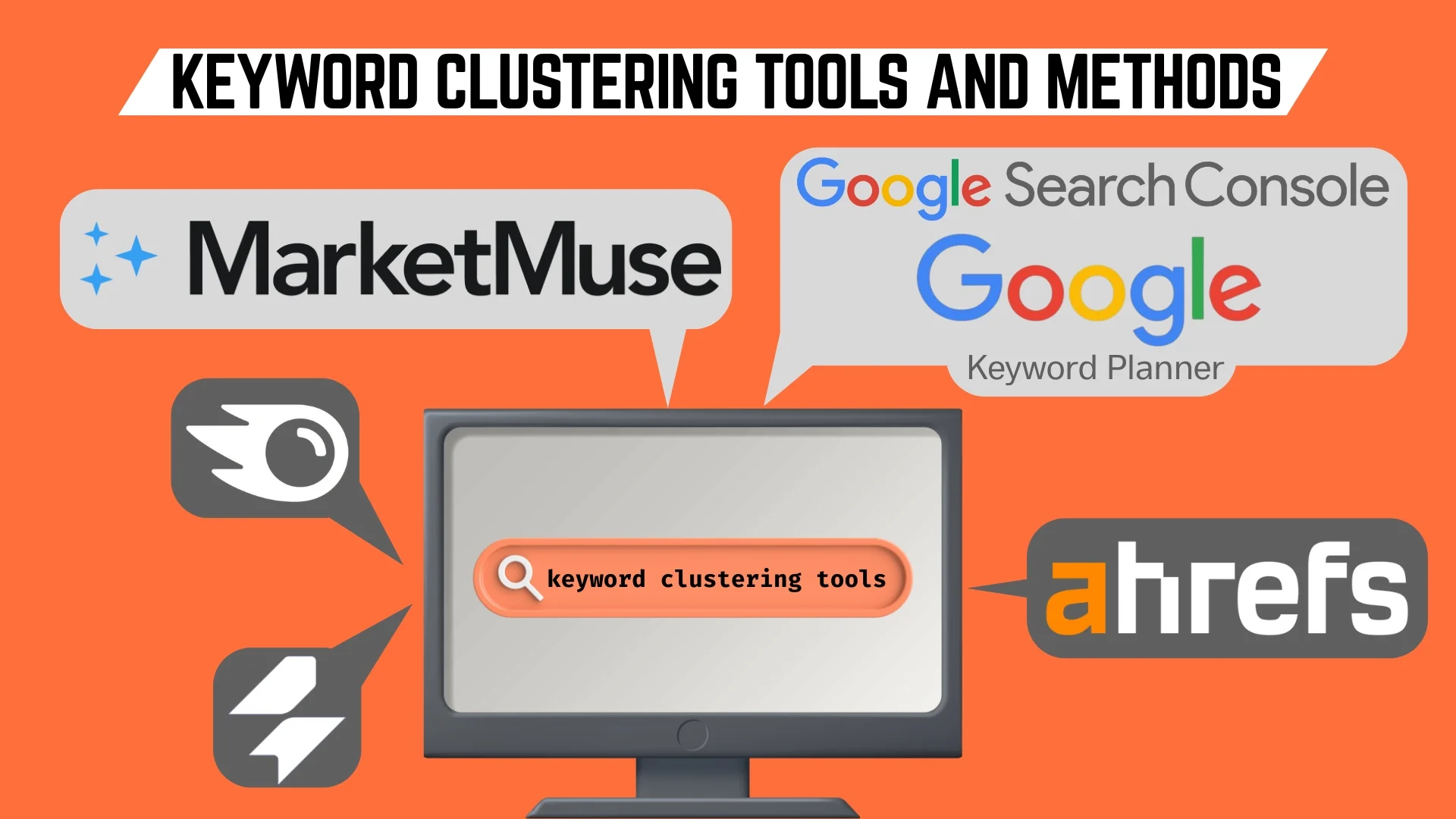
Choosing the right clustering method depends on your dataset size, budget, and accuracy requirements. I've tested dozens of approaches over the years - some work brilliantly for specific situations, others promise everything and deliver frustration.
Manual clustering gives you complete control over grouping decisions. It's slower than automated tools but often more accurate, especially for complex niches where algorithms miss nuanced relationships.
Google Sheets handles most clustering tasks without expensive software. Start with a simple template that includes keywords, search volume, difficulty score, current ranking, and cluster assignment columns.
Use conditional formatting to color-code keywords by search volume ranges. High-volume terms (1,000+ searches) get red highlighting, medium terms (100-1,000) get yellow, and long-tail terms (under 100) stay white. This visual system helps identify cluster anchors quickly.
Create pivot tables to group keywords by common word patterns. Sort your keyword list alphabetically, then use pivot tables to count how many keywords contain terms like "best," "how to," or "software." These patterns reveal intent-based grouping opportunities.
Build VLOOKUP formulas to cross-reference SERP overlap data. Set up a separate sheet with keyword pairs and their overlap percentages. Use VLOOKUP to automatically flag high-overlap pairs for potential clustering.
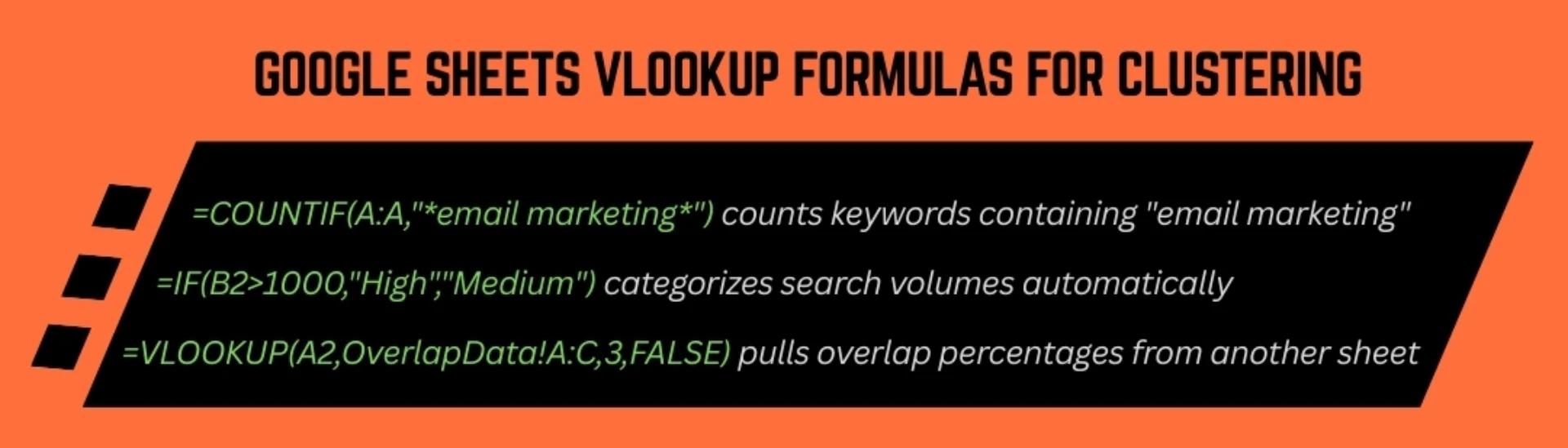
The biggest advantage is flexibility. You can adjust grouping criteria instantly, add custom analysis columns, and collaborate with team members in real-time. Google Sheets also integrates with tools like Semrush and Ahrefs through API connections.
Excel provides more powerful analysis capabilities for experienced users. Power Query handles data cleaning and transformation from multiple sources without manual copying and pasting.
Use Power Query to combine keyword exports from different tools. Connect to Semrush, Ahrefs, and Google Keyword Planner simultaneously. Power Query automatically standardizes formats and removes duplicates across sources.
Conditional formatting rules help identify clustering patterns visually. Create rules that highlight keywords sharing common modifiers, similar search volumes, or specific intent signals. This makes pattern recognition faster than scanning text manually.
Excel macros automate repetitive clustering tasks. Record macros for common operations like sorting by search volume, grouping by word patterns, or calculating cluster statistics. Once recorded, these operations run instantly on new datasets.
Advanced Excel clustering techniques:
The learning curve is steeper than Google Sheets, but Excel handles larger datasets more efficiently and provides sophisticated analysis tools that simpler platforms can't match.
Start with intent-based sorting before detailed clustering. Group all informational keywords first, then commercial, then transactional. This prevents mixing intents within clusters during detailed analysis.
Work in batches of 50-100 keywords to maintain focus and accuracy. Clustering fatigue leads to poor decisions when you try to process thousands of keywords in a single session.
Document your clustering criteria so team members can maintain consistency. Create a simple guide explaining how you handle borderline cases, intent classification, and overlap thresholds.
Google Sheets clustering getting unwieldy? Comment with your dataset size, and I'll suggest whether it's time to upgrade to automated tools or if there's a formula trick that'll solve your problem.
Automated tools make large-scale clustering feasible but require validation to ensure accuracy. No algorithm perfectly understands context, brand requirements, or strategic priorities.
Google Keyword Planner groups related keywords automatically in its ad group suggestions. These groups aren't perfect for SEO clustering, but they provide starting points for manual refinement.
Export keyword ideas from Keyword Planner, then review the suggested ad groups. Many contain semantically related terms that work well as content clusters. Ignore the advertising focus and extract the keyword relationships.
Google Search Console clustering works through query analysis. Export your site's query data and group by landing page. Keywords driving traffic to the same page often cluster naturally.
Sort Search Console data by landing page to see which keywords Google already associates with specific content. This reveals clustering opportunities you might miss with external keyword research.
Python scripts handle basic clustering for technically inclined users. Libraries like scikit-learn provide clustering algorithms that group keywords by semantic similarity.
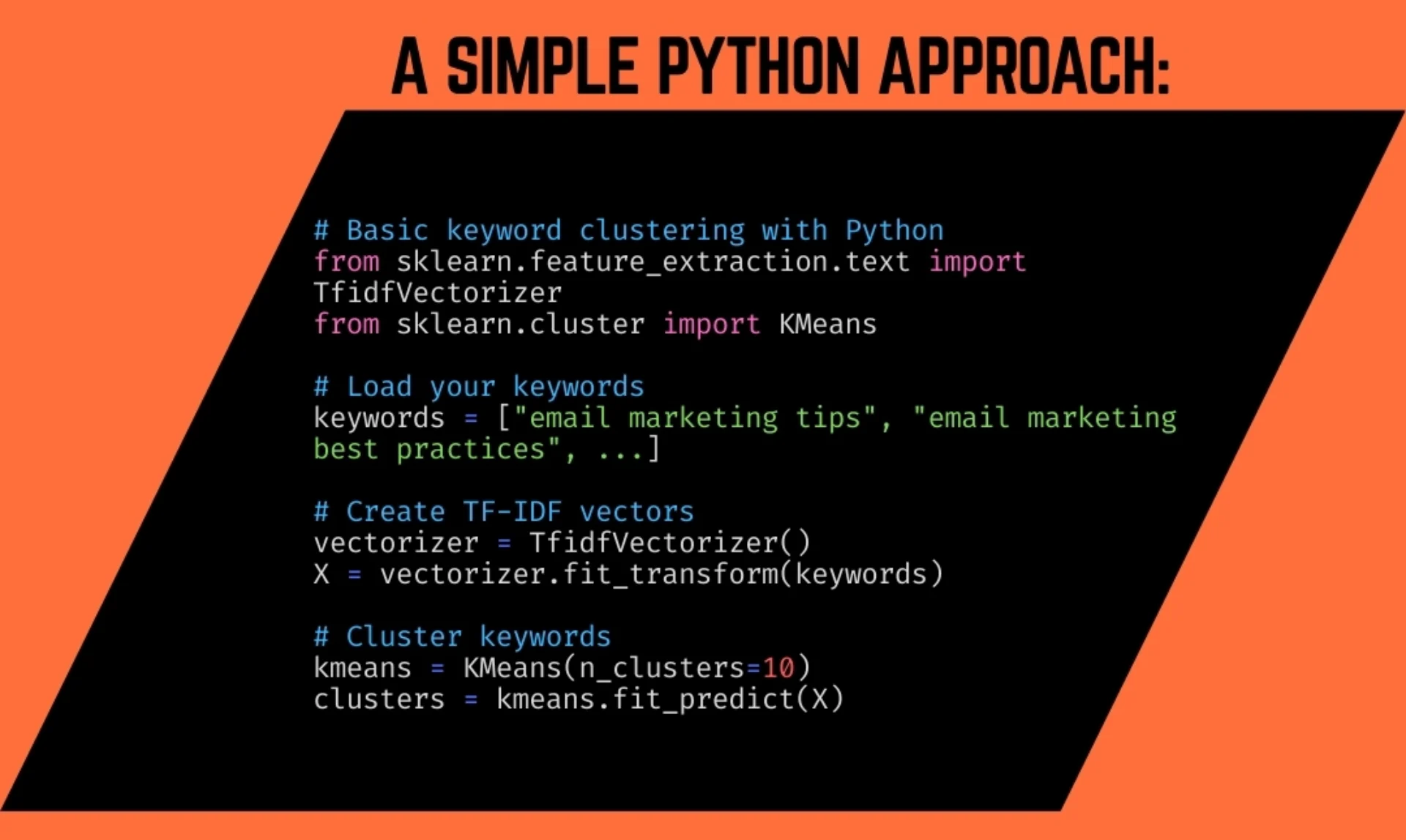
Here's a simple Python approach:
# Basic keyword clustering with Python
from sklearn.feature_extraction.text import TfidfVectorizer
from sklearn.cluster import KMeans
# Load your keywords
keywords = ["email marketing tips", "email marketing best practices", ...]
# Create TF-IDF vectors
vectorizer = TfidfVectorizer()
X = vectorizer.fit_transform(keywords)
# Cluster keywords
kmeans = KMeans(n_clusters=10)
clusters = kmeans.fit_predict(X)
This code groups keywords by word frequency patterns. It's not perfect, but it provides starting clusters for manual review.
SE Ranking includes keyword clustering in its main platform without additional costs. The tool analyzes SERP overlap and semantic similarity to create clusters automatically.
SE Ranking's clustering works well for local businesses and service providers. It handles geographic keyword variations better than most alternatives and provides clear cluster statistics.
The interface is intuitive - upload keywords, set clustering parameters, and review results. You can adjust overlap thresholds and merge or split clusters manually.
Pricing at the time of writing: $52-209/month, depending on tracked keywords and features
Semrush Keyword Manager groups keywords using multiple signals like SERP overlap, semantic similarity, and search volume patterns. The tool integrates with other Semrush features for comprehensive keyword analysis.
Semrush clustering excels at competitive analysis. It shows which keyword clusters competitors target and identifies gaps in your content strategy.
The bulk clustering feature handles thousands of keywords simultaneously. Results export cleanly to spreadsheets for further analysis or content planning.
Pricing at the time of writing: $139.95-449.95/month with clustering included in Guru and Business plans
Ahrefs Keywords Explorer provides clustering through its keyword suggestions and SERP analysis features. While not explicitly a clustering tool, it identifies related keywords that often form natural clusters.
Ahrefs excels at finding long-tail variations and semantic relationships that pure SERP overlap tools miss. The Parent Topic feature groups keywords that should target the same page.
Use Ahrefs for competitive cluster analysis by examining which keyword groups drive traffic to competitor pages. This reveals successful clustering strategies in your niche.
Pricing at the time of writing: $129-999/month with keyword research included in all plans
MarketMuse takes a content-centric approach to keyword clustering. It analyzes top-ranking content to determine which keywords should be covered together on comprehensive pages.
MarketMuse creates topic models that go beyond keyword clustering to content optimization. It suggests related topics, questions, and concepts to include in clustered content.
The tool works best for content-heavy businesses that prioritize topical authority over individual keyword rankings.
Pricing at the time of writing: $149-399/month for standard plans, enterprise pricing available
Vendors change plans often, so check current pricing before you commit.
Dataset size determines which tools are practical. Manual methods work well under 500 keywords. Semi-automated tools handle 500-2,000 keywords efficiently. Fully automated solutions become necessary above 2,000 keywords.
Accuracy requirements vary by business type. E-commerce sites need precise clustering to avoid cannibalization between product pages. Content sites can tolerate broader clusters that cover related topics comprehensively.
Budget considerations include monthly subscriptions and setup time costs. Free tools require more manual work. Expensive tools might include features you don't need. Calculate the true cost including your time investment.
Integration capabilities matter for ongoing workflow efficiency. Tools that export cleanly to your content management system save hours per month. API access enables custom analysis and reporting.
The most effective clustering combines automated tools with manual validation. Start with algorithms for initial grouping, then refine based on strategic priorities and content goals.
Use manual clustering for small datasets under 500 keywords. The time investment is reasonable, and the accuracy improvements justify the effort. Manual review catches context that algorithms miss.
Choose automated clustering for large datasets with over 1,000 keywords. The time savings justify potential accuracy trade-offs. Focus manual effort on validating high-priority clusters rather than reviewing everything.
Consider hybrid approaches for medium datasets (500-1,000 keywords). Use tools for initial clustering, then manually review and refine groups based on business priorities and content strategy.
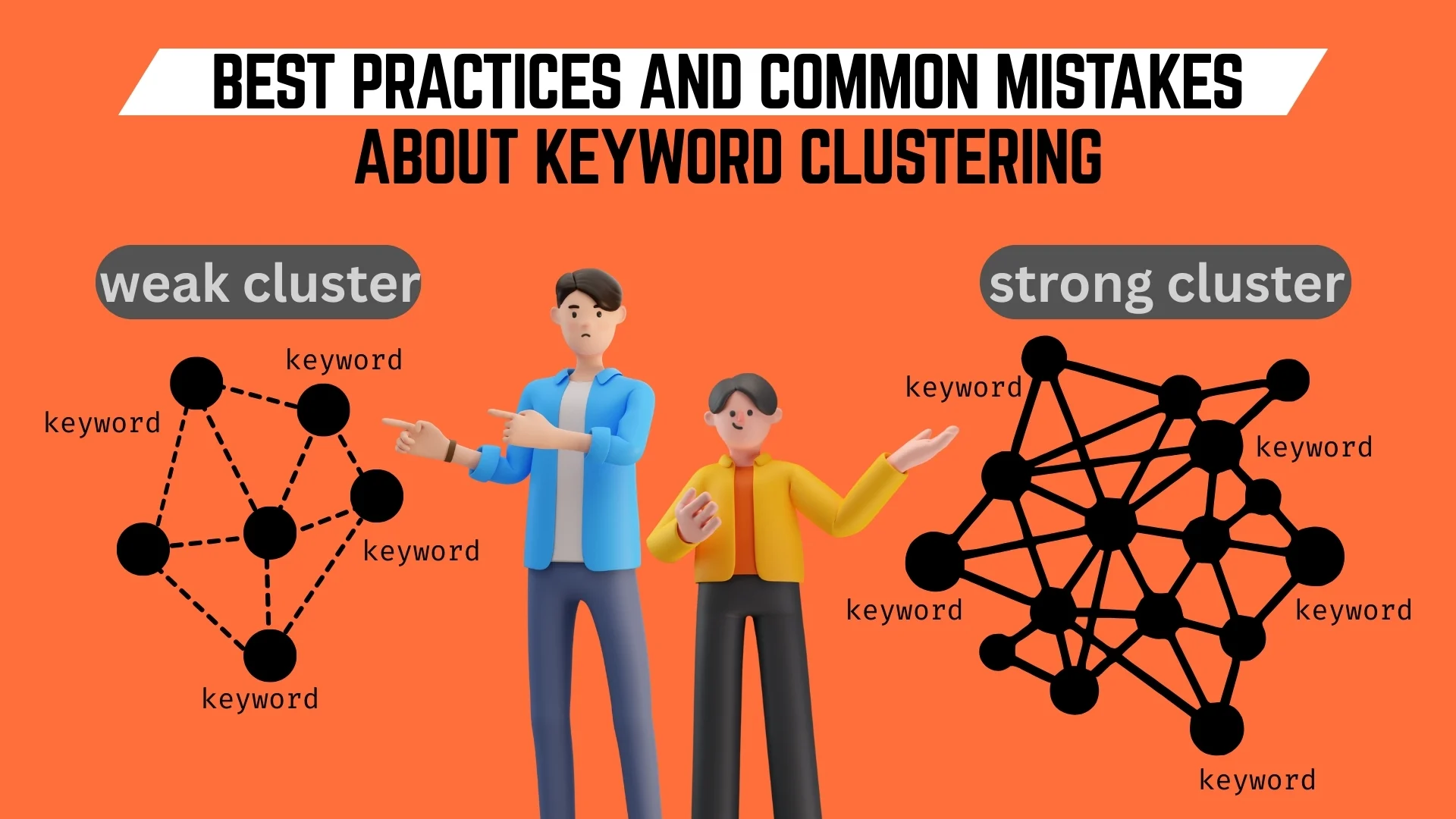
Most clustering failures happen during implementation, not planning. You can build perfect clusters and still kill your rankings through poor execution. How to avoid this misfortune? Let’s see below!
The biggest mistake is creating too many tiny clusters. I've audited sites with 200 clusters containing 2-3 keywords each. This approach creates thin content that can't compete with comprehensive guides.
If you find yourself with clusters under 5 keywords, ask whether they belong together. "Email automation tools" and "email automation software" probably target the same search intent and should merge.
New clusters that overlap with existing content create internal competition. Before building content for any cluster, audit your current pages. Sometimes optimizing existing content works better than creating new pages.
Check if your "email marketing guide" already covers keywords from your "email marketing best practices" cluster. Expanding the existing guide might outperform creating separate pages.
Clustering based on keyword similarity without checking actual search results leads to groups that don't work. "Content marketing strategy" and "content marketing plan" might seem related but could show completely different SERPs.
Always validate clusters with manual SERP checks, especially for high-value keywords. Tools miss context that affects real search behavior.
Track cluster performance as groups, not individual keywords. Monitor whether entire clusters gain or lose visibility over time. This reveals content effectiveness better than single keyword movements.
Set up conversion tracking that maps back to clusters. Revenue from email marketing clusters matters more than traffic volume. Focus content investment on clusters that drive business results.
Watch for keyword cannibalization signals. If multiple pages start ranking for the same cluster keywords, consolidate content or adjust internal linking to establish clear topical authority.
Intent consistency: Every keyword in a cluster should serve the same user goal. Remove terms that require different content types.
Content feasibility: Each cluster should provide enough material for comprehensive, valuable content. Merge clusters that only support thin pages.
Business alignment: Prioritize clusters based on traffic potential and conversion likelihood, not just search volume.
SERP validation: Manually check results for 20% of cluster keywords to verify automated analysis.
Your goal is to create clusters that help you make better content decisions and improve your search engine rankings. Sometimes it's better to accept imperfect groups that work than to try to achieve theoretical perfection that stops work from happening.
Different business models break standard clustering rules. What works for content sites fails for e-commerce. Local businesses face geographic complications that national brands never see. Below, I will tell you more about the difference in approach.
Product catalogs create clustering decisions that pure content sites avoid. You might have 50 keywords around "wireless headphones," but sell 12 different models.
High-competition keywords usually need dedicated product pages when you have multiple models in the same category. "Best wireless headphones under $100" justifies its own page if you sell several options in that range.
Lower-volume product variations often cluster better on category pages. "Wireless headphones for running" and "wireless headphones for gym" probably target the same products.
Handle brand-specific clusters separately unless you're building comparison pages. "Sony wireless headphones" and "Bose wireless headphones" serve different intents even within the same product category.
Commercial modifiers cluster naturally: "best," "top," "review," and "comparison" keywords often work on the same page. Price-focused terms like "cheap," "affordable," and "budget" target similar buyer mindsets.
Geographic keywords complicate clustering because location affects search results. A plumber in Chicago faces different clustering decisions than a national software company.
City-level clustering works for most local businesses. "Plumber Chicago," "Chicago plumbing services," and "plumbers in Chicago" typically show similar results and target the same page.
Multi-location businesses need geographic clustering strategies. Twenty cities could mean twenty pages or regional groupings, depending on service area overlap and competition levels.
Service-specific geographic keywords often cluster with general service pages rather than needing separate location content. "Emergency plumber Chicago" might work better on your main Chicago page than a dedicated emergency page.
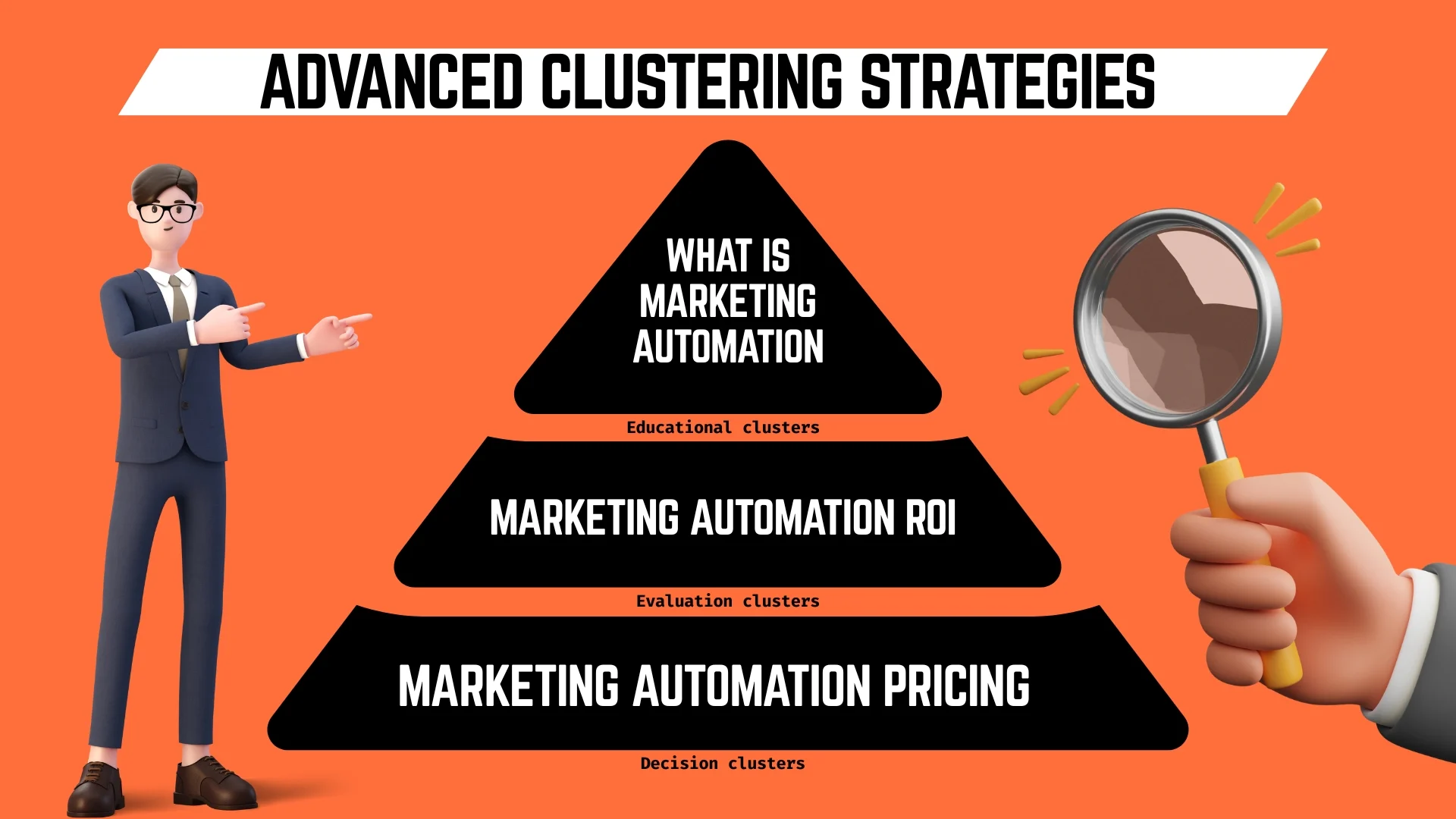
B2B clustering follows decision stages more than product categories. Educational clusters serve different search intents than evaluation or purchasing clusters.
Top-funnel clusters answer broad questions: "what is marketing automation" and "marketing automation benefits" cluster together on educational content.
Middle-funnel clusters help with evaluation: "marketing automation features" and "marketing automation ROI" target prospects comparing solutions.
Bottom-funnel clusters focus on decisions: "marketing automation pricing" and "marketing automation demo" need different content than educational pieces.
Different roles search for the same solutions in different ways. CMOs research ROI while marketing managers search for specific tools. SERP analysis determines whether these need separate clusters.
Industry-specific variations often require separate clustering. "Marketing automation for SaaS" might show different results than "marketing automation for e-commerce" despite similar core topics.
Start with your top 100 most valuable keywords before expanding. Master clear intent separation and high-confidence clusters before tackling edge cases.
Focus on clear intent separation first. Get informational, commercial, and transactional clusters right before worrying about semantic nuances.
Add keyword batches monthly rather than clustering everything simultaneously. This prevents team overwhelm and allows performance testing before large-scale expansion.
Document clustering criteria as you scale. New team members need consistent guidelines for similar decisions.
Review cluster performance quarterly, not monthly. Rankings need time to stabilize after content publication. Archive underperforming clusters rather than constantly tweaking them.
Build approval workflows for high-value clusters while allowing individual decisions for long-tail terms. Balance quality control with operational efficiency as your clustering scales.
That’s all for now… But if you still feel overwhelmed after reading my article, comment with your specific sticking point, and I'll break it down further. I actually enjoy solving these clustering puzzles, so don't hesitate to ask. And thank you for reading!

Roman Makarenko is an SEO and digital marketing pro with over 8 years of experience. He’s worked with businesses around the world, helping them drive more traffic and improve conversions. Roman enjoys sharing what he’s learned about website promotion, offering practical advice that’s helpful for both marketers and business owners who want to boost their online presence.
Roman Makarenko is an SEO and digital marketing pro with over 8 years of experience. He’s worked with businesses around the world, helping them drive more traffic and improve conversions. Roman enjoys sharing what he’s learned about website promotion, offering practical advice that’s helpful for both marketers and business owners who want to boost their online presence.
By entering your e-mail address you’re confirming
that you agree to subscribe to our newsletter.


